



Software Enhancements
Updates may enhance supported software, functions and vehicle capabilities.

Your Ford can keep getting better over time. Eligible Ford vehicles in Saudi Arabia can receive Software Updates wirelessly through over-the-air (OTA) technology, helping deliver software enhancements, quality improvements and security updates without a service-center visit in many cases.
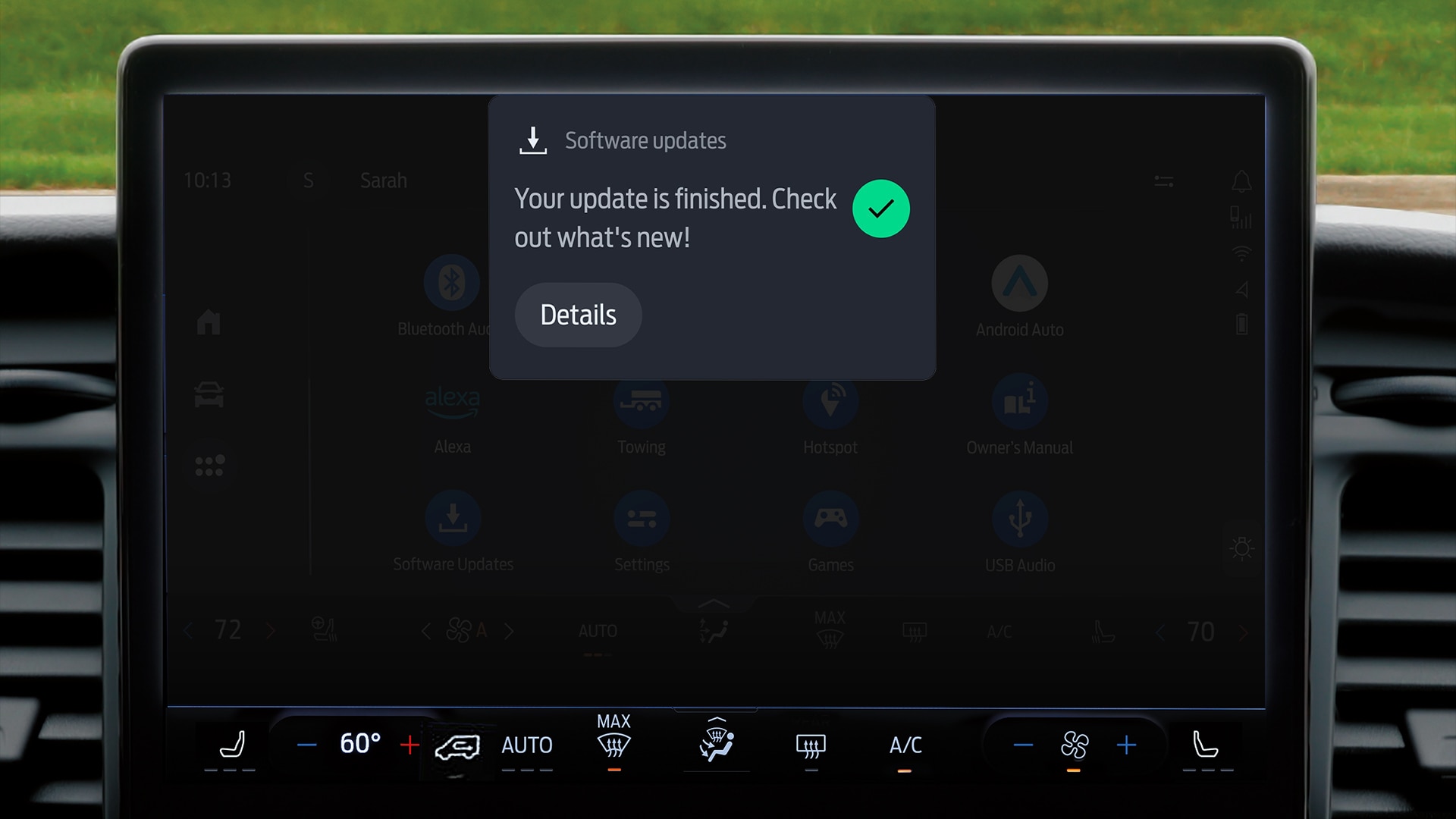
OTA stands for Over-the-Air. It is the wireless delivery of software to an eligible connected vehicle. Your Ford can receive supported updates through its built-in cellular connection, in a similar way to how a smartphone receives software updates.
Updates may enhance supported software, functions and vehicle capabilities.
Ford can deliver behind-the-scenes software improvements designed to improve the ownership experience.
Updates may include security enhancements for supported connected vehicle systems.
With Automatic Updates enabled, most updates can take place seamlessly in the background.
Many software updates can be delivered directly to the vehicle without a service-center visit.
Software Updates allow supported vehicle software and features to continue improving over time.
Open your vehicle's Software Updates settings and make sure Automatic Updates are enabled. This allows most eligible updates to download and install without requiring manual approval each time.
Many updates happen in the background. Some require a short period when your Ford is parked and switched off. When needed, schedule the update for a time when you will not need the vehicle, such as overnight.
Your vehicle will notify you when an applicable update is available, and you will receive a confirmation notification when the update has been successfully completed.
Ford can roll out Software Updates progressively. Two eligible vehicles may not receive the same update on exactly the same day; timing can vary by model, model year, trim and the specific update.
When an update is available for your eligible vehicle, you receive a notification on the touchscreen.
The software is delivered wirelessly through the vehicle's connected systems. Most updates can happen seamlessly in the background.
If the update needs vehicle downtime, your Ford will guide you to select a suitable time. Once completed, you receive a confirmation notification.
According to Ford Middle East, Software Updates are currently available in KSA for:
Find answers about update availability, installation, scheduling, warranty, personal data, costs, and eligible Ford vehicles in Saudi Arabia.
Ford Software Updates use over-the-air (OTA) technology to deliver updates to equipped and eligible Ford vehicles. Updates may include software enhancements, quality improvements, security updates, and supported feature or functionality enhancements. Availability varies by model year, trim, options, packages, market, and component availability.
When update details are available, you can find them in the Software Updates section of the vehicle's Settings menu.
Installation time depends on the update. With Automatic Updates enabled, most updates take place seamlessly in the background. Some updates require the vehicle to remain parked and unavailable for a period of time. Your vehicle will notify you in advance and allow you to schedule the update for a convenient time, such as overnight.
When an applicable update becomes available, a notification appears on the vehicle touchscreen. Updates may be released progressively, so timing can vary by model, model year, trim and other factors.
According to Ford Middle East, the Ford Ranger, Ford Everest, Ford Expedition, and Ford Explorer are currently eligible in Saudi Arabia from model year 2026 onwards.
No. Once a Software Update has started, it cannot be cancelled.
Ford recommends enabling Automatic Updates for the most seamless experience, because most updates then require no further action. If Automatic Updates are turned off, you can manually accept an update by selecting Continue when prompted on the touchscreen.
You can contact the Ford Customer Relationship Center or visit your nearest Al Jazirah Vehicles Ford location or service center for assistance.
Possible reasons include that no update is currently available, your vehicle does not currently support Software Updates, vehicle connectivity is disabled, or the vehicle is outside cellular network coverage.
Some updates require the vehicle to be stopped and parked, the parking brake engaged, the ignition switched off, all doors, hood and tailgate closed, and the headlights turned off. Ford also states that a scheduled update should be set before or after 12 a.m., rather than exactly at 12 a.m. If a condition is not met, review the message shown on the vehicle screen and correct the issue before the next scheduled update.
Software Updates are not mandatory, but Ford recommends installing them because they can enhance vehicle quality, capability, and the ownership experience over time. With Automatic Updates switched on, most updates download and install automatically.
No. Software Updates are released in sequence, so an individual update cannot be skipped in order to move directly to a later update.
It depends on the update. Most updates complete in the background, while certain updates require the vehicle to remain parked with the ignition off for a short period. If this is required, you will be notified in advance so you can choose a suitable time.
Personal settings and data are generally retained. They may only be affected if they relate to a function that is removed or significantly changed as part of a specific update.
Ford Software Updates continue to evolve and are released at Ford's discretion as they become available for eligible vehicles. Updates may be rolled out progressively rather than reaching every eligible vehicle at the same time.
No. According to Ford, installing Software Updates does not affect your vehicle warranty. Choosing not to install an update also does not affect the warranty.
No. Once a Software Update has been applied, it is not possible to revert to the previous software version.
Currently, Ford Software Updates are offered to eligible vehicles at no additional cost.
References: Ford Middle East – Software Updates, Saudi Arabia and Ford From the Road – OTA 101.
The Al Jazirah Vehicles team is here to support you with Ford sales and aftersales services.
* Software Updates are available on selected vehicles and markets. Features may vary by model year, trim, options, packages, and component availability. Current eligibility, functionality, and pricing may change in accordance with Ford policies and updates. Please refer to Ford Middle East or contact Al Jazirah Vehicles for the latest information applicable to your vehicle.
Whatever your question or feedback we are here to help. So please feel free to contact us.
Immerse yourself even deeper. Visit our social channels